ContactSign inSign up
Contact
Storybook AI & Agents Vitest React Native Playwright Cypress

Visual testing for React Native

Catch visual bugs in your React Native UI. Chromatic supplies and maintains the iOS and Android rendering infrastructure. Built-in snapshot stabilization reduces false positives, while automatic parallelization keeps visual test runs fast as your suite grows.

Coming soon
Storybook iconMade by the Storybook team
vscode logo
github logo
airbnb logo
mozilla logo
bbc logo
muji logo
vscode logo
github logo
airbnb logo
mozilla logo
bbc logo
muji logo
vscode logo
github logo
airbnb logo
mozilla logo
bbc logo
muji logo
vscode logo
github logo
airbnb logo
mozilla logo
bbc logo
muji logo
vscode logo
github logo
airbnb logo
mozilla logo
bbc logo
muji logo

Native visual testing, batteries included

Native snapshots are only as reliable as the system behind them. Chromatic keeps the rendering infra stable, up-to-date, and elastic. You can confidently expand coverage without maintaining your own machines.

On demand iOS and Android
Chromatic provisions standardized iOS and Android environments and keeps them current. Your baselines migrate automatically with every infrastructure update.
Parallel by default
Chromatic automatically scales capacity with the workload, running tests in parallel across as many machines as needed. You pay only for the snapshots you capture.
Stop render flake at the source
SteadySnap selects the most stable result from a burst of captures, reducing false positives from animations and dynamic content.

Powered by React Native Storybook

Your stories already define the UI states that matter. Chromatic runs each one as a native visual test on iOS and Android. Add a story and your coverage grows with it.
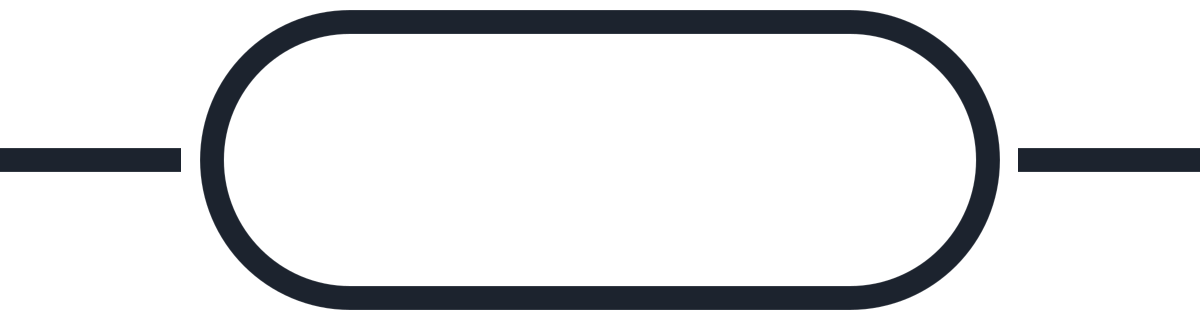
React Native Storybook loop: each story is built and rendered natively on iOS and Android. Chromatic visually tests the snapshot. Passing stories get a check; regressions are sent back to be fixed.

Your stories define the tests. Props, decorators, providers, and mocks set up each state once. That same story becomes the repeatable visual test, with no screenshot assertions or separate flows to maintain.

Chromatic runs stories natively. We launch your app build in our cloud, run every story, and capture the rendered UI with native code, fonts, assets, and configuration.

“The more things we have in Storybook, the more coverage we get in Chromatic.”

Dan Green-Leipciger
Dan Green-Leipciger
Sr. Engineering manager
wave

Spot the visual differences

Catch changes to color, position, size, and layout before they ship. Chromatic compares each snapshot with its baseline and highlights the differences in a dedicated review app.

See changes from every angle
Switch between 1up, 2up, and Diff views to compare snapshots side by side, overlay them, or isolate the pixels that moved.
Pinpoint subtle changes
Focus mode spotlights areas that have diffs, so you can skim without combing the entire screen. Animate the changed pixels to make tiny shifts stand out, or zoom in for a closer look.
Tune comparison sensitivity
Chromatic includes a default comparison threshold and ignores anti-aliased pixels. Adjust sensitivity per project or story when your UI needs a stricter or looser comparison.

Review changes and update baselines

See iOS and Android changes together in one dashboard. Decide which changes are intentional and which are regressions that need fixing before you merge.
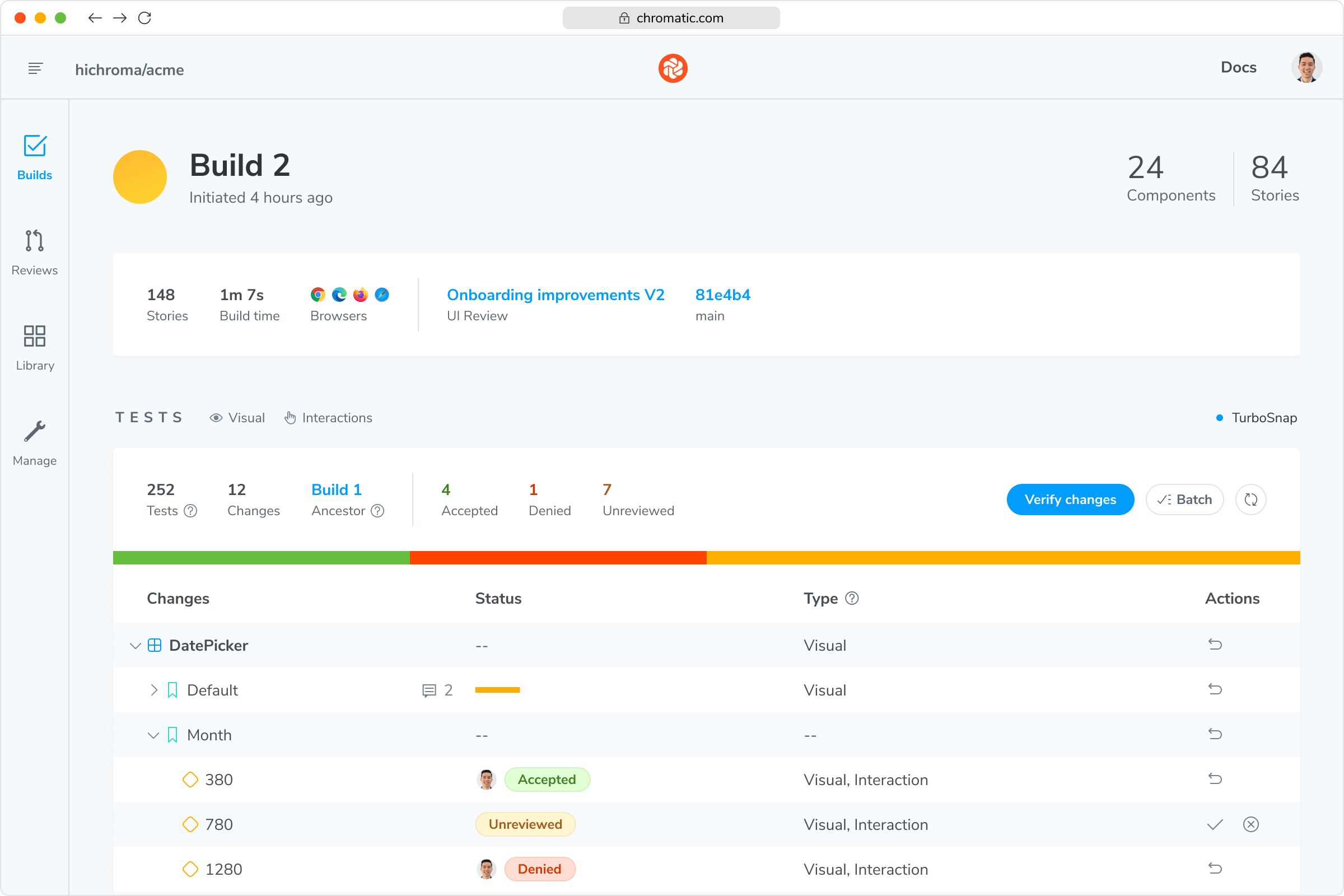
A Chromatic build listing accepted, denied, and unreviewed visual changes
Accept or deny visual changes
Accept an intentional change to update its baseline. Deny a regression to preserve the existing baseline and fail the build.
Keep baselines aligned with Git
Chromatic uses Git history to compare each snapshot against the right baseline. New branches inherit that baseline, and accepted changes carry forward through merges.
Gate merges with visual tests
Run Chromatic in CI to report visual test status on every pull request. Make the check required in your Git provider to block merges until the build passes.
Never fix the same visual bug twice.
Talk to an expert